Apple HomeView Audio Performance and Third-Party App Limitations Explained
New testing reveals that while the HomeView offers comparable sound to the HomePod Mini, its reliance on CarPlay for third-party music apps creates significant usability hurdles for smart speaker users.
By Daniela Kelly ·
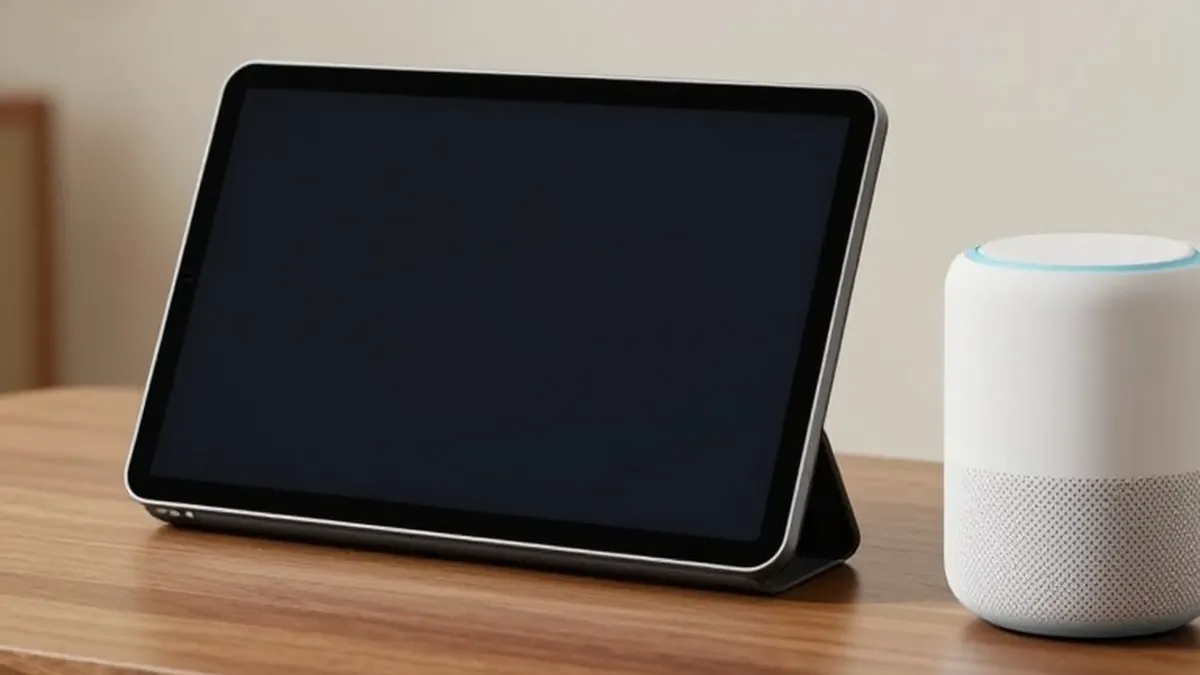
Following the release of Apple’s first smart display, the HomeView, further testing has focused on its capabilities as a smart speaker. While the device functions well as a touchscreen controller, the experience with third-party music applications remains inconsistent. The hardware performance is comparable to the HomePod Mini, but software limitations in handling non-native apps present several frustrations for potential buyers.
In terms of raw audio quality, the HomeView is not a replacement for larger speakers like the Sonos One or the full-size HomePod. Its sound profile is closest to the HomePod Mini. During comparative testing with the HomePod Mini 2, the tabletop HomeView was found to have slightly better bass and higher volume. However, the Mini 2 offers clearer sound and fills rooms more effectively due to its 360-degree audio design. The HomeView does support Spatial Audio with Dolby Atmos, a feature absent in the Mini 2.
The difference in sound is largely due to hardware design. The Mini 2 utilizes a single full-range driver and two passive radiators. In contrast, the tabletop HomeView includes two drivers in the display, a woofer, and two passive radiators in the base. Although the woofer adds depth, the display housing partially covers the speaker base, which affects overall clarity. Apple has included an accelerometer to adjust equalization in real time based on the device's tilt angle, yet the Mini remains superior for room-filling sound.
The wall-mounted version of the HomeView features only two drivers. Apple states this configuration is tuned specifically for on-wall placement. While the audio is acceptable, it is noticeably thinner than the tabletop model with almost no bass. It is recommended primarily for video doorbell communication rather than general music playback.
Users cannot pair two HomeViews for a stereo setup, nor can they pair a HomeView with a HomePod or Mini. While HomeViews can be grouped with other AirPlay speakers for simultaneous playback, they do not function as a stereo pair. For a budget of around 300 dollars, a pair of HomePod Minis offers a better stereo audio experience. The primary advantage of the HomeView is its screen, which acts as a visual jukebox for browsing and selecting content without requiring voice commands.
Audio handoff functionality works similarly to HomePods, allowing users to tap their phone to the device to transfer active playback. This feature supports Apple TV, Apple Music, Spotify, and YouTube, among others. However, handoff can be aggressive, automatically transferring content when a phone is held within a few inches of the display. Video handoff is also supported, though streaming services like Netflix and Amazon Prime Video only play audio natively and require the Safari browser for video.
A significant limitation is the lack of a default speaker setting. The HomeView does not allow users to set an external speaker as the primary output for its built-in apps. While native Apple apps remember the last used speaker, third-party applications behave differently. If content is selected via Siri voice control, it defaults to the HomeView’s internal speaker, even if the user was previously listening through a different AirPlay device.
The integration of third-party apps relies on the CarPlay platform rather than a dedicated HomeView interface. This approach allows apps like Spotify, Audible, and YouTube Music to function but introduces several drawbacks. These applications require a user profile and a connected phone on the same Wi-Fi network. They also lack search boxes and keyboards, forcing users to scroll through content or use Siri for search. This design choice, intended for driving, feels awkward in a stationary home environment.
Performance with CarPlay-based apps is often slower and more inconsistent than native Apple applications. Issues include slow loading times, buggy audio controls, and failure to recognize voice commands for specific actions. For example, Siri sometimes failed to resume an Audible book, instead shuffling Apple Music. Apple appears to be using this platform as a stopgap measure, and future updates may be needed to provide a more integrated experience.
For consumers deciding whether to purchase the HomeView as a smart speaker, the decision depends on specific needs. If a touchscreen music controller is a priority, the HomeView is a suitable choice, especially for households using Apple Music. However, those who prefer voice control or use third-party services like Spotify may find the HomePod or competing devices from Amazon and Google to be more practical options.
More News · National news · Report a business · Got a Story?